Many free digital services offer valuable resources for education. They can be used to bring welcome variety to the classroom, illustrate different topics and engage students in learning in new and exciting ways. Free fonts, images, maps, 3D materials, podcasts and videos can be used to teach and learn a wide range of subjects. Below is a selection of digital services that can be used for a variety of educational purposes.
Font services
Computer science exercises, presentations and various digital tasks can easily be given new dimensions through typography.
FontSquirrel and Google Fonts, for example, offer a wide range of free fonts to add a nice spice to many kinds of work.
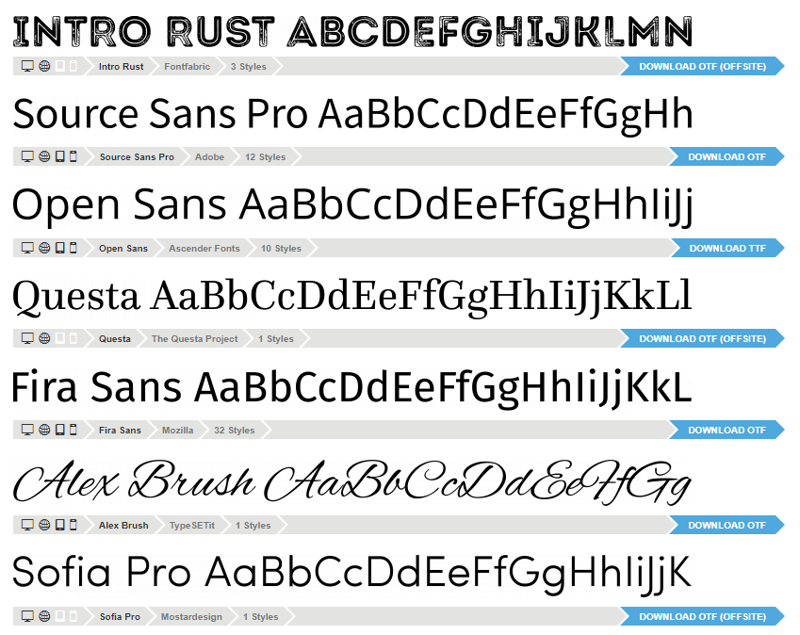
Font services offer a wide range of free fonts for various uses. Screenshot from Fontsquirrel.
Note: Users may not have permission to install fonts on the computers of educational institutions. To make sure that fonts installed on a home computer will work in a presentation that is opened on a school computer, you should ensure that fonts are embedded when the presentation is made
Read more: Embedding fonts in Microsoft software
Image banks
Free image banks offer a wide range of visual material on a variety of topics. These images can be used in exercises or presentations that require illustrative and visual material.
Using image banks helps the students to learn important digital skills. For example, when practising image processing or learning about vector graphics, the rich image resources inspire students to learn by experimenting. The free images of various image banks are an excellent source of practice and inspiration.
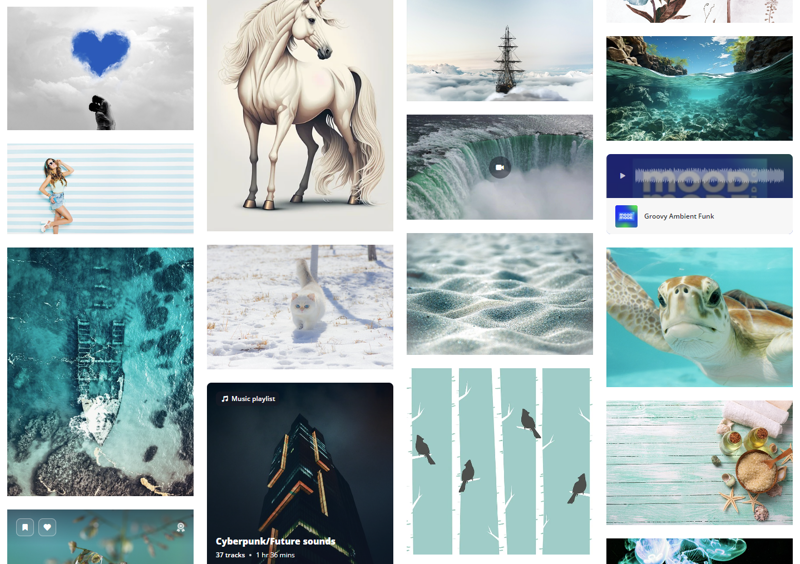
In addition to a huge selection of images, image banks also offer video and audio files. Screenshot from Pixabay.
NASA’s materials and resources
NASA's archive of video, images and audio contains a vast amount of free materials related to space, geography and science.
For example, the planets of our solar system can be explored in detail through NASA's 3D models and information packs. The models show both Jupiter's auroras and the exploration of the surface of Mars in a visual manner. The materials can be viewed together on a projector or used for different tasks.
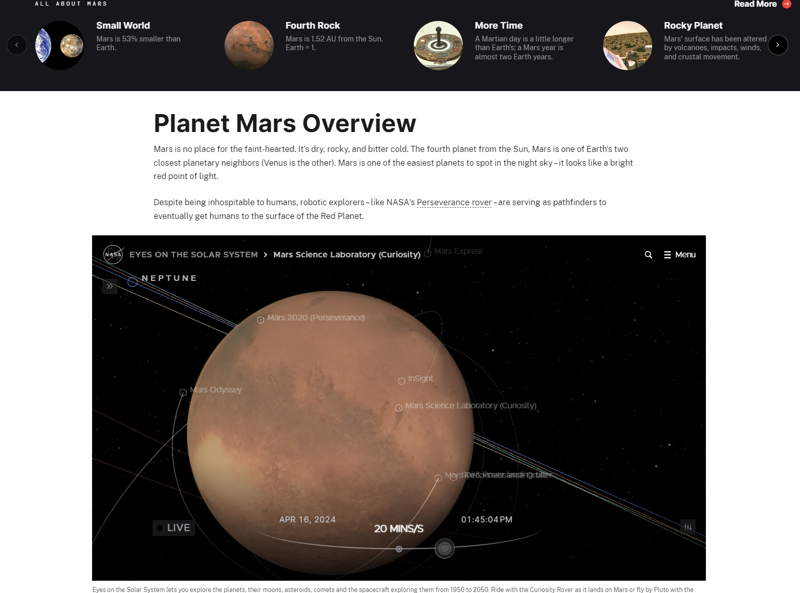
On the NASA website, you can explore the planets of our solar system and learn more about space research using 3D environments. You can also track the movement of objects and adjust the passage of time in the 3D models.
3D model of Helsinki
What could your class learn from 3D models of the city of Helsinki? Could they give a new perspective on the development of the city, the geography of the region or the environmental impact of urban life?
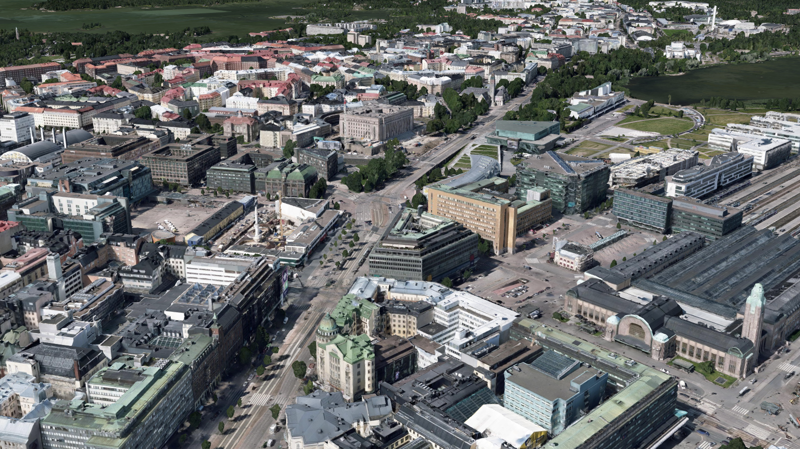
The 3D model of Helsinki allows you to view the city on a larger scale or at the level of individual blocks.
Google Earth
Google Earth lets you explore the world through great 3D models. The service also provides ready-to-use information packs in English on a range of topics, making it easy to embark on an expedition to the world's oceans, explore the progress of urbanisation or look at the effects of climate change.
Google Earth is also ideal for a variety of assignments and presentations, as the maps can be freely explored and annotated.
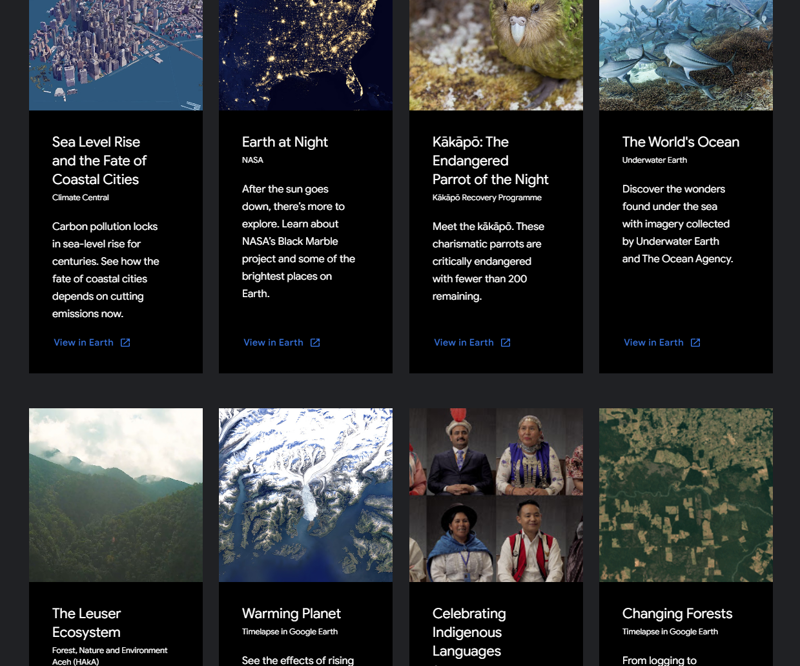
On Google Earth, you'll find a wealth of ready-made presentations on a variety of topics.
[embedded content beginning][embedded content end]
With Google Earth, you can visit interesting places such as the Eiffel Tower, see photos taken on site and study the map of the area.
Google Maps
You can also mark your sightings on the map using Google Maps, a service that may already be familiar to many students. Google Maps is also suitable for many other uses because of its wide coverage, accuracy and visual nature. For example, could units of measurement in maths be easier to understand if they were measured on a map over local, familiar areas?
Google My Maps
Google My Maps is a service that is linked to Google Maps. It allows you to create and share your own map markers. You can mark objects on the map, draw patterns, measure distances and define routes.