OpiqGPT is a chatbot developed for the Opiq platform used by e-Oppi. Schools can independently decide whether to use OpiqGPT.
If a teaching group has a valid licence for e-Oppi's learning materials, OpiqGPT will work on the platform without requiring a separate login.
What information sources does OpiGPT use?
OpiqGPT is based on the ChatGPT language model. OpiqGPT is designed to primarily use e-Oppi’s digital textbook library as its information source.
English-language users should note that the knowledge base of the current test version of OpiqGPT uses primarily Finnish-language textbooks. Although conversations in English are possible, the chatbot will primarily attempt to communicate with you in Finnish. The English user experience will be improved in future versions.
OpiqGPT is designed to encourage independent thinking and learning among students. The chatbot first asks the user what they already know about the topic, before supplementing the user’s answers with information from its own sources.
Although chatbots like OpiqGPT can compile information, it is important to remember that they cannot understand, compare or evaluate the quality of information in the same way as people do. OpiqGPT is a useful tool for learning how to use artificial intelligence and evaluate the quality of the responses you receive.
How is OpiqGPT used?

The OpiqGPT icon highlighted in the top menu in the pupil's view. The icon appears in the menu when the school administrator has enabled it from the school's settings.
When you are logged in to Opiq and have access to OpiqGPT, you can open the chatbot via the OpiqGPT icon in the top menu. The top menu is red for teachers, blue for pupils and purple for private users.
OpiqGPT is controlled in the same way as any other AI chatbot: as clearly as possible. Using the three steps of giving an AI prompt (context, task and output) will help you to get better responses from the AI. You can also refine the prompt by specifying keywords and determining the subject.
If OpiqGPT's response seems too short, you can ask the chatbot to continue with the command "continue." You can also ask OpiqGPT to clarify its response or explain it in simpler terms.
If you find OpiqGPT's answer to be completely wrong, you can correct it. If the answer is unclear, you can ask for further clarification or ask about the information source used by the chatbot. Please note that OpiqGPT may sometimes confuse words with similar spellings.
Please note that the Opiq platform also has another AI-powered feature: the text assistance tool. You can read more about it here.
How can pupils use OpiqGPT?
The OpiqGPT chatbot is a learning assistant that helps you find answers and deepen your understanding of various topics.
A. Developing AI literacy
You can practice AI literacy and source criticism in the following ways, for example:
- Compare the explanations generated by the AI with those in the textbook.
- Evaluate the AI's responses when you give it different prompts on the same topic.
- Ask the AI about the topic you're studying. If the AI makes mistakes, correct them for it.

B. Differentiation
7th Grade Biology
Task: You have studied the basic structure of a cell. Next, make a list of all the parts of an animal cell and their functions.
Prompt for OpiqGPT: I'm in 7th grade. Please help me make a list of all the parts of an animal cell and their functions.
C1. Creating tasks
7th Grade Geography
Task: Review and practice your knowledge of European geography.
Prompt for OpiqGPT: I'm in 7th grade. Please give me some different questions about European geography.
OpiqGPT can generate a variety of questions, including multiple-choice questions, concept definition tasks, as well as applied tasks (e.g. creative writing, research projects, and surveys). You can ask OpiqGPT to review your answers and explain the correct answers if necessary.
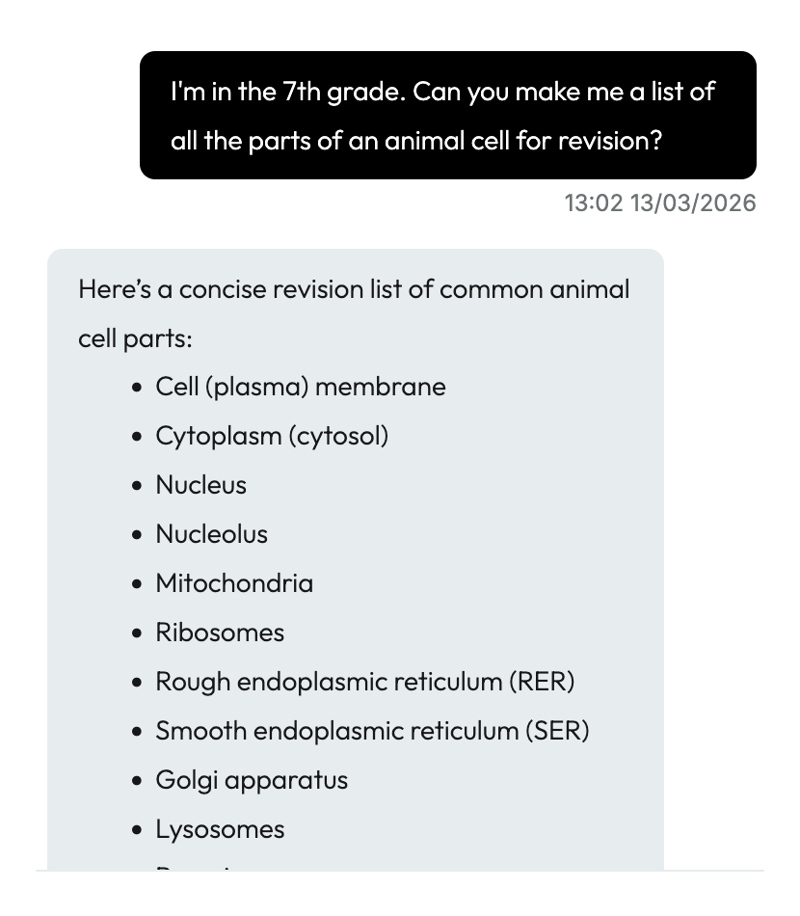
An example of using OpiqGPT for structuring information and reviewing what has been learned.
C2. Explaining concepts
Geography, Biology, Physics and Chemistry
Task: Review what is meant by the concept "greenhouse effect"
Prompt for OpiqGPT: I'm in the 7th grade. Explain what the greenhouse effect is.
After the answer, you can ask follow-up questions to explore the topic further:
- Where do greenhouse gases come from, excluding human activity?
- How can I, as an individual, help mitigate the greenhouse effect through my everyday actions?
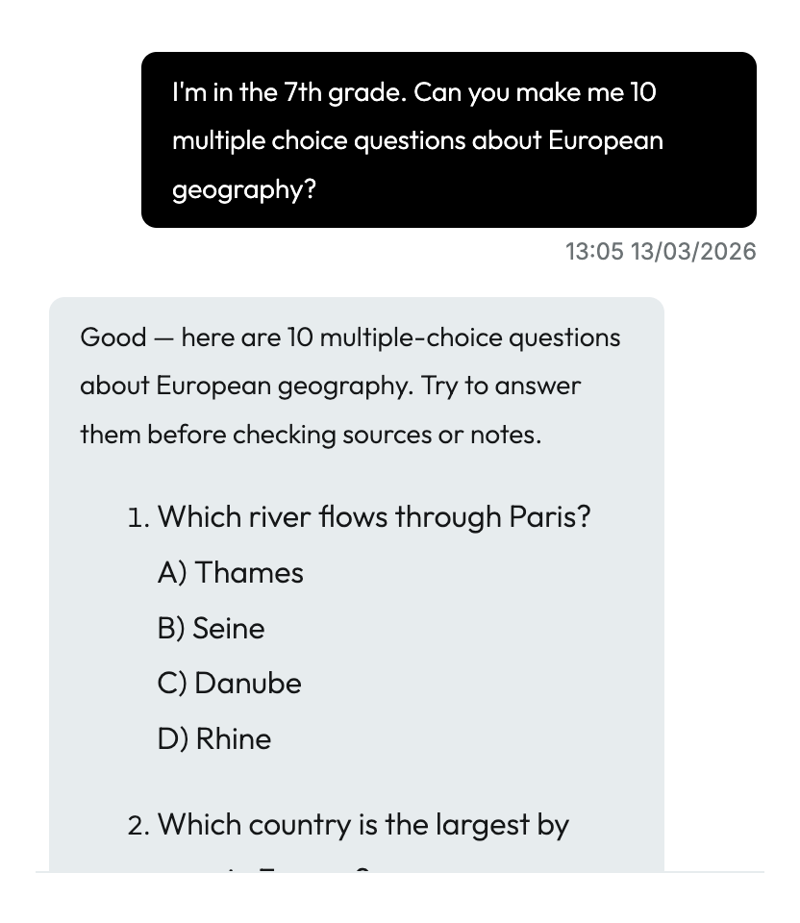
An example of how to create multiple-choice questions using OpiqGPT. When you enter your answers into the chat, OpiqGPT checks them and, if necessary, explains where you went wrong.
C3. Think and check
7th Grade Physics
Task: Are the following statements true or false? Answer the questions and check your results.
- The speed of sound varies depending on the air temperature.
- The Moon orbits the Earth on an almost circular path.
Prompt for OpiqGPT: Does the speed of sound vary with air temperature? Does the Moon orbit the Earth in a circular path?
D. Interdisciplinary tasks
Biology, Chemistry and Physics
Task: The biology textbook explains that carbon dioxide plays a certain role on Earth. The chemistry and physics textbooks cover different aspects of carbon dioxide. Write a brief summary of everything you know about carbon dioxide and use AI to check your answer.
Prompt for OpiqGPT: Help me write a summary of the structure and significance of carbon dioxide. / Help me check this summary about carbon dioxide.
How can teachers make use of OpiqGPT in their teaching?
OpiqGPT serves as an aid in textbook-based teaching and can offer a wide range of assistance for daily teaching tasks. The chatbot can be used to make differentiated instructions, develop assessment criteria, and to generate ideas for assignments and tests.
1. Clarifying topics
Concepts, language and clarity
- Explanations in various ways: through metaphors, using examples, or in the form of a dialogue.
- Creating glossaries and definitions.
- The Opiq platform's text assistance tool helps to clarify topics.
2. Differentiation and support
Differentiation, individualization, and language support
- Ask the AI to suggest simplified tasks for those who need assistance.
- You can also ask the AI to generate more in-depth questions for students who are progressing more quickly.
- The AI can also create word definitions and vocabulary exercises for language learners.

3. Ideas for exercises and evaluation
Generating exercises and tasks
- Multiple-choice questions
- Explanation tasks
- Concept tasks
- Role-based tasks
Generating evaluation criteria
- Assessment matrices (e.g., for essays).
- Example answers for different grade levels.
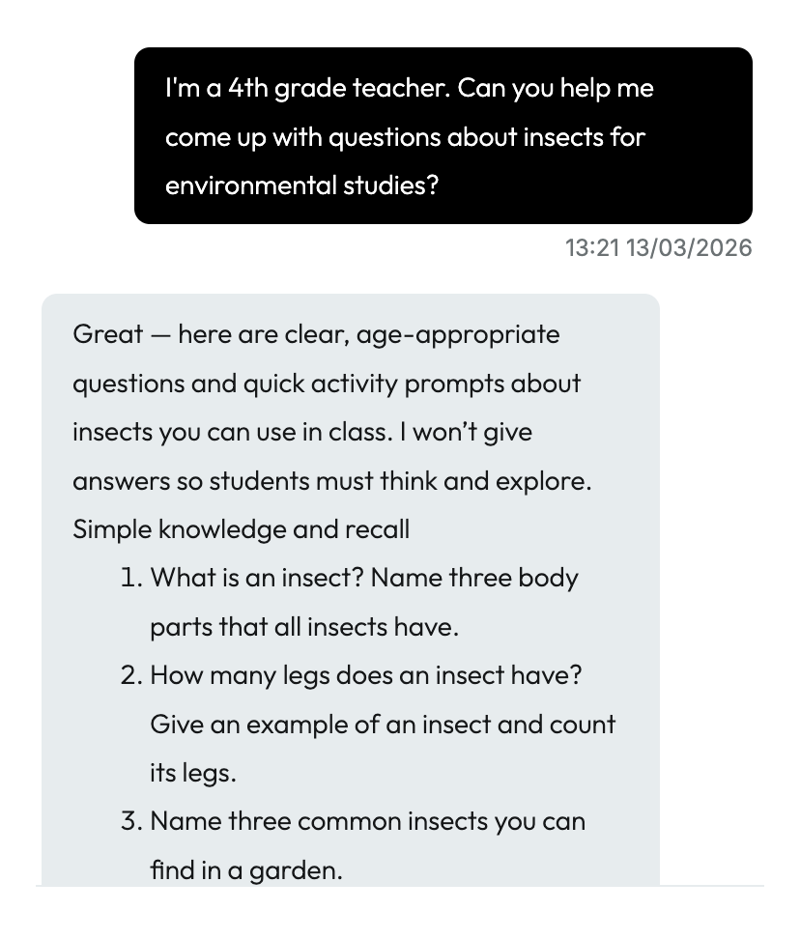
An example of how to use OpiqGPT to create questions for the class. Providing instructions that are as specific as possible helps OpiqGPT generate questions appropriate for the grade level.
4. Active methods
Role-playing and simulations
- History: “Talk with Napoleon Bonaparte.”
- Geography: “Talk to a resident of a developing country about changes in population size”
Sparking conversation
- Create questions for debates.
- Create “what if?” scenarios.
- Gamification.
- The AI can create quizzes based on textbook chapters.
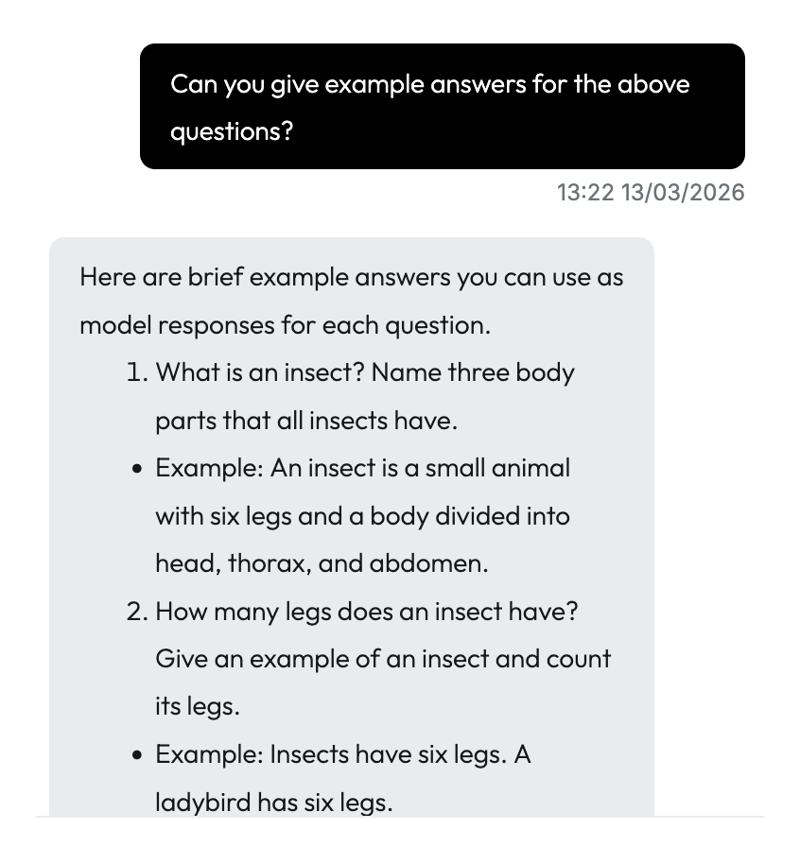
An example of how OpiqGPT can be used to generate example answers and explanations for questions. As the AI can sometimes make mistakes, it is wise to go through these explanations before giving them to the pupils.
5. Improving critical literacy
Source criticism and broadening one's perspective
- Comparing information generated by AI with information from a textbook.
- Broadening the perspective, e.g., climate change: scientific, economic, and political perspectives.
6. Improving AI literacy and skills
With OpiqGPT, teachers can:
- Teach good prompting practices.
- Demonstrate how AI can make mistakes.
- Discuss ethical conduct and citation practices.
7. Time-saving functions
A teacher can ask OpiqGPT for help:
- For drafting essays.
- For generating suggestions for lesson plans.
- For drafting messages.
- For thinking about interdisciplinary projects.


- Palvelun tarjoaa e-Oppi Oy ja Star Cloud OÜ